How ACP works
First of all, jargons:
Advanced Computing Platform (ACP) is the team.
MONTAGE is the server, or the high performance computing (HPC) cluster, or the computer.
MONTAGE (MONash Malaysia fuTuristic Architechture for next Generation rEsearch) is a HPC cluster, made up of thousands of CPUs (and GPUs) with very fast networking between them. This setup is ideal for workloads that can be parallelised, that is, jobs that can be split up into smaller chunks which can be run simultaneously. Parallelising such workloads can be dramatically faster than if you had to run that same workload on your personal computer.
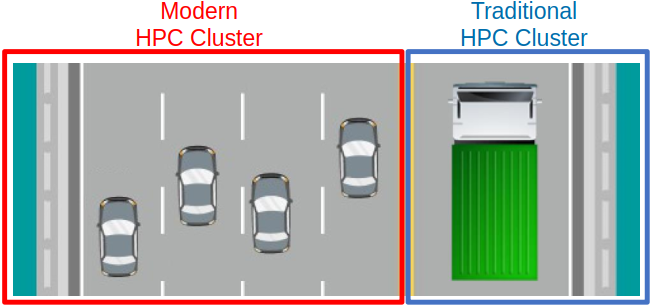
In modern HPC clusters, tasks are efficiently executed across multiple interconnected nodes, allowing for parallel processing similar to cars traveling to different destinations concurrently. This scalability is advantageous, particularly when managing numerous small simulations simultaneously. Conversely, traditional mainframe HPC relies on a single powerful node, akin to a truck, which poses challenges for scaling out. In such systems, simulations may need to be processed sequentially, resembling the delivery of goods to destinations one after the other.
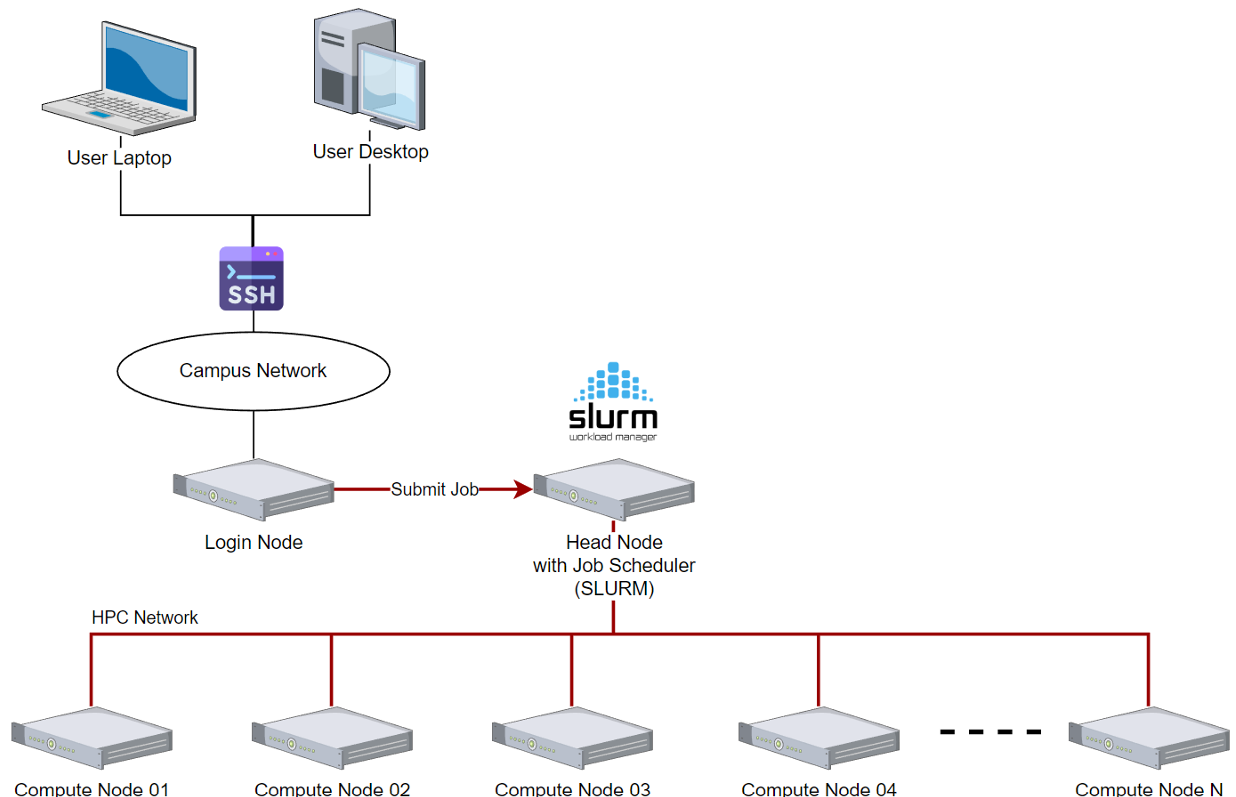
MONTAGE is made up of many nodes. There are two main types of nodes:
| Type of node | How many? | Purpose |
|---|---|---|
| Login | 1-2 | Usually, one connects to MONTAGE via ssh here, the login node, from where you can submit jobs to run on compute nodes |
| Compute | Many, these make up most of MONTAGE | Run all of your computations on these nodes by submitting jobs from the login node |
The login nodes are lightweight and are shared by many users at once. You must not run heavy workloads on the login nodes, since this degrades the node's performance for every user and can even render it inaccessible. We will kill any heavyweight processes that we find on the login node and notify you when this happens.
If you repeat this after having already been warned, your access to MONTAGE may be revoked.
Every MONTAGE user can freely connect to the login nodes, but you cannot simply connect to a compute node to start running your workload. Instead, we rely on a job scheduler called Slurm. Slurm is responsible for managing all of the resources on Montage (e.g. CPUs, GPUs, memory, nodes, etc.) and sharing those resources fairly between all users on Montage. The basic idea is:
- You connect to a login node.
- Submit a job allocation request to Slurm. This include specifics:
- How many CPUs?
- How much memory (RAM)?
- How long will this job need these resources?
- Slurm places your job in its queue. It will quickly identify available resources to allocate for your job.
- Your job will eventually run on the allocated resources on the compute nodes.
There is still a lot for you to learn about how to run jobs on MONTAGE! Dive into Running jobs on Montage to learn more.