Copying files to and from MONTAGE
There are a few options to do that. First is:
GUI interface like FileZilla or WinSCP
This is a simple user-friendly way to transfer files. What you need will be your username, password, and the IP address of the ACP.
Skip the reading. Here, watch this:
or this:
- Always remember the IP address of MONTAGE login node!! It is
10.168.151.1. - Also, if you have to pick the port, that would be port 22.
Through a CLI tool like rsync or scp
Personally, I am more comfortable with rsync, it got some useful options.
Here some example code:
# To send files from local (e.g.: laptop) to MONTAGE
rsync [source_path] [user]@[ip-addr]:[dest_path]
rsync text.txt u0001@10.168.151.1:/ibm/gpfs/u0001/Project1/

# To copy from MONTAGE back to my laptop
rsync [user]@[ip-addr]:[source_path] [dest_path]
rsync u0001@10.168.151.1:/ibm/gpfs/u0001/Project1/final_output.txt ./text.txt

# Useful options
#         -r: If you are transferring folders, it has to be recursive
#         -a: Archive mode to preserve file info such as permissions, times, symlinks, etc.
#             Just trust me, its good
#         -v: Verbose
#         -h: Human readable file size. 2.1G, instead of 2123473203
# --progress: Show transfer progress, so you know something is happening
With rsync, there are some useful options. I usually do: rsync -r --progress, -r when it is a folder, and I want the transfer to be recursive; --progress shows the percentage of transfer per file, gives me an idea of how much longer it will take to complete data transfer.
Some people uses scp or sftp, that is fine too
Through a JupyterLab/Jupyter Notebook session
Just drag and drop your files.
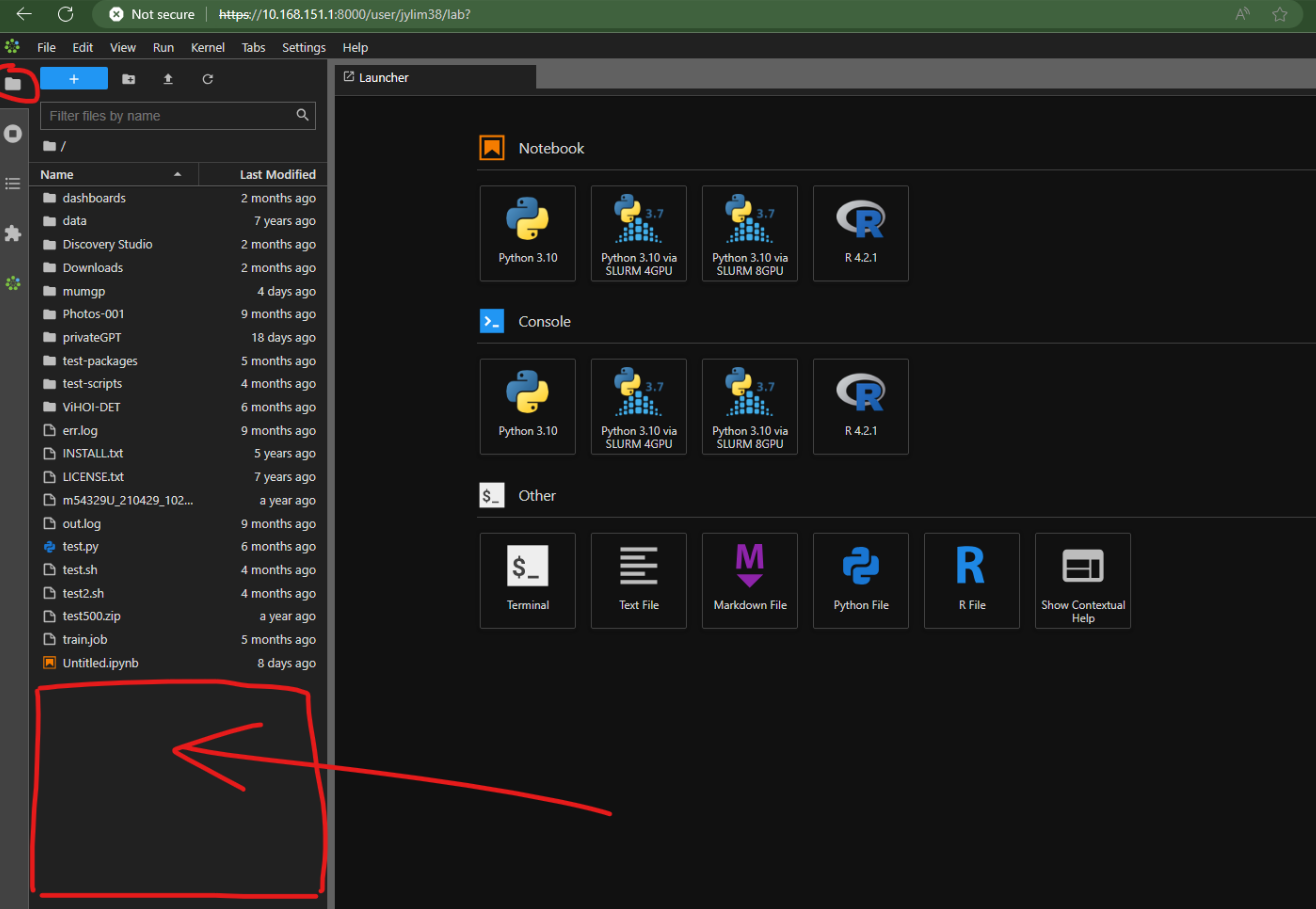
To download files from MONTAGE to your laptop, just right-click on your file, and select download.